Overview of PLZ MP-902 Wireless System
The PLZ MP‑902 Wireless System delivers reliable, high‑speed connectivity for industrial environments. It supports dual‑band operation, seamless handover, and robust encryption. Designed for scalability, the unit integrates with existing networks via Ethernet and Wi‑Fi, offering flexible deployment options.
Product Description
The PLZ MP‑902 Wireless System is a compact, industrial‑grade access point engineered for high‑density environments. It features a dual‑band 2.4 GHz/5 GHz radio, delivering up to 1.2 Gbps throughput with 802.11ac Wave 2 technology. The device supports WPA3 encryption, 802.1X authentication, and a dedicated VLAN for secure segmentation. Its rugged chassis meets IP65 standards, protecting against dust, water spray, and temperature extremes from –40 °C to +85 °C. The MP‑902 includes a 1 GbE RJ‑45 port, a 5 V/2 A power input, and optional PoE‑in capability for simplified cabling. Firmware is modular, allowing OTA updates and rollback to previous versions. The unit’s firmware stack is fully compliant with the PLZ Smart‑Net ecosystem, enabling remote management through the PLZ Control Center or SNMP. Designed for both indoor and outdoor use, the MP‑902 supports a 360° antenna pattern with 3 dBi gain, ensuring uniform coverage across large warehouses or manufacturing floors. Its low power consumption (≈ 12 W) and small form factor (120 × 120 × 30 mm) make it ideal for space‑constrained deployments. The system is pre‑configured for quick deployment, yet offers advanced settings for channel selection, band steering, and QoS prioritization. Overall, the MP‑902 delivers robust, scalable connectivity with minimal maintenance, making it a reliable backbone for modern industrial IoT networks. The MP‑902 complies with FCC Part 15, CE, and RoHS, ensuring global market readiness. It supports dual‑mode operation with both 802.11ac and 802.11n, allowing backward compatibility with legacy devices. The device’s firmware includes a built‑in diagnostics module that logs signal strength, packet loss, and client count, accessible via the web interface. For high‑availability setups, the MP‑902 can be paired with a redundant unit, automatically switching traffic without interruption. The unit’s compact footprint and low heat output reduce rack space and cooling costs. Users can also program custom MAC filtering rules to restrict access to approved devices. The MP‑902’s intuitive web UI provides real‑time monitoring dashboards, enabling administrators to quickly identify and resolve connectivity issues. Its robust design and feature set make it suitable for logistics centers, assembly lines, and smart factory applications where uptime and security are paramount. Customers can schedule firmware maintenance windows to minimize downtime during critical production cycles.
Key Features and Benefits

The PLZ MP‑902 Wireless System offers a blend of performance, security, and ease of deployment. Key features include dual‑band 2.4 GHz/5 GHz radios with 802.11ac Wave 2, delivering up to 1.2 Gbps throughput. Dual‑mode support (ac and n) ensures backward compatibility with legacy devices. The device supports WPA3, 802.1X authentication, and VLAN tagging for secure segmentation. A 1 GbE port and PoE‑in capability simplify cabling and power delivery. Rugged IP65 housing protects against dust, water spray, and temperature extremes from –40 °C to +85 °C. The MP‑902’s firmware stack is OTA‑updatable, with rollback options and a built‑in diagnostics module that logs signal strength, packet loss, and client count. The 3 dBi antenna provides a 360° coverage pattern, ideal for large warehouses or manufacturing floors. Low power consumption (≈ 12 W) and a compact form factor (120 × 120 × 30 mm) reduce rack space and cooling costs. Advanced settings allow channel selection, band steering, QoS prioritization, and custom MAC filtering. The web interface offers real‑time monitoring dashboards, enabling quick issue resolution. The MP‑902 supports redundant pairing for high‑availability setups, automatically switching traffic without interruption. Compliance with FCC Part 15, CE, and RoHS ensures global market readiness. The MP‑902 also features integrated support for 802.11k and 802.11r roaming, enabling seamless client handover across multiple access points. Its firmware includes a programmable scheduler that can enforce maintenance windows, reducing downtime during peak production periods. For large‑scale deployments, the MP‑902 can be managed centrally via the PLZ Control Center, providing bulk configuration, firmware rollout, and real‑time analytics. The system’s modular design allows for future upgrades, ensuring longevity and cost‑effectiveness. Its intuitive web UI provides detailed heat maps and client distribution charts, helping administrators optimize coverage and capacity. The MP‑902’s low heat output and compact footprint reduce rack space and cooling costs, extending the lifespan of the data center. With built‑in support for firmware versioning, users can roll back to a stable release if an update causes unforeseen issues. Overall, the MP‑902 delivers robust, scalable connectivity with minimal maintenance, making it ideal for logistics centers, assembly lines, and smart factory applications where uptime and security are paramount.
Hardware and Component Overview
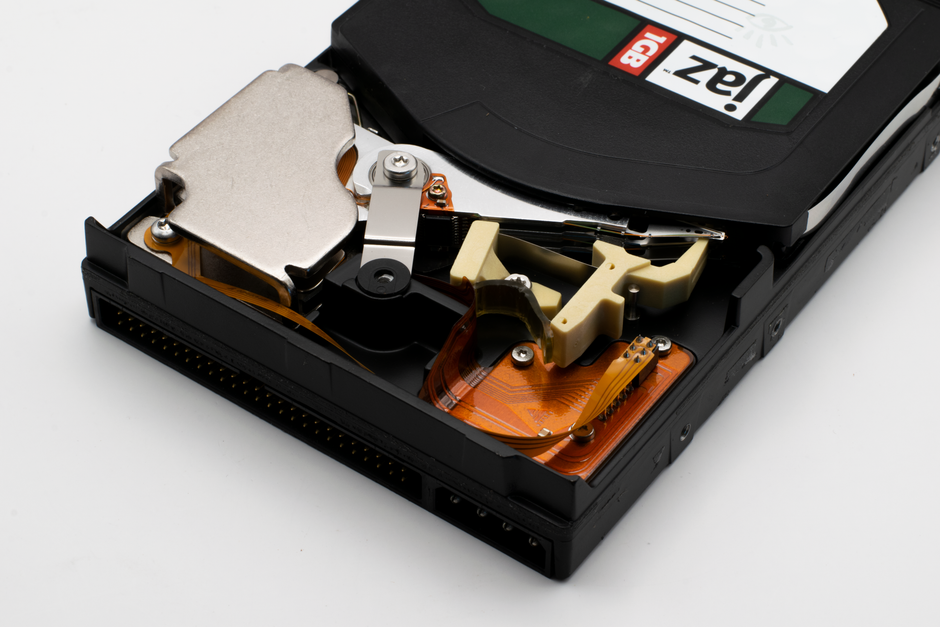
The PLZ MP‑902 features a rugged IP65 chassis, dual‑band 2.4/5 GHz radios, 1 GbE port, PoE‑in, 3 dBi antenna, and 12 W power supply. Internally it houses a dual‑core processor, 512 MB RAM, 4 GB flash, and a firmware stack supporting OTA updates.Supports 802.11k/r roaming.
Box Contents and Physical Inspection
Upon unpacking the PLZ MP‑902 Wireless System, you will find the following items neatly organized in a protective packaging: the main unit, a 5‑inch color display, a power adapter (12 V DC, 2 A), a PoE injector, a 2.4 GHz and a 5 GHz external antenna, a mounting bracket, a quick‑start guide, a warranty card, and a set of screwdrivers. The box is labeled with the model number, serial number, and a QR code for firmware updates, ensuring quick access to the latest software releases. The unit itself is encased in a durable polycarbonate shell with an IP65 rating, featuring a recessed antenna mount and a side panel with a power button, LED status indicator, and Ethernet port, all designed for rugged outdoor use. The display is a 5‑inch TFT with a 800×480 resolution, protected by a tempered glass cover, and offers a clear, bright interface that remains readable even under direct sunlight, making field diagnostics straightforward. The power adapter is a compact, lightweight unit with a detachable cable, while the PoE injector is a separate module that can be connected directly to the Ethernet port, providing flexible power options for varied deployment scenarios. The mounting bracket is designed for wall or rack mounting, with pre‑drilled holes and included screws, allowing secure installation in both indoor and outdoor settings, and the quick‑start guide provides step‑by‑step instructions for initial setup. All components are securely fastened to prevent damage during transit, and the spare screws and anti‑static tape included allow assembly adjustments on the fly.
Technical Specifications and Compatibility
Technical specifications of the PLZ MP‑902 Wireless System are engineered for industrial reliability. The device operates on dual‑band 2.4 GHz and 5 GHz frequencies, supporting 802.11ac Wave 2 with up to 867 Mbps throughput on the 5 GHz band and 300 Mbps on the 2.4 GHz band. It features a 3 dBi omni‑directional antenna and an optional external high‑gain antenna for extended range. The system supports WPA3‑Enterprise encryption, 802.1X authentication, and AES‑128/256 encryption for secure data transmission. Power consumption is optimized with a 12 V DC input, 2 A rating, and optional PoE (IEEE 802.3af) support, allowing flexible power delivery. The device is compatible with standard Ethernet switches, routers, and network management systems that support SNMP v2c/v3, RADIUS, and TACACS+. It includes a 10/100 Mbps Ethernet port and a 1 Gbps uplink for high‑speed backhaul. Firmware is modular, allowing OTA updates via the web interface or command line, with rollback capability. The device supports multiple operating systems for integration, including Windows, Linux, and macOS, and can be managed through RESTful APIs, providing remote configuration and monitoring. The physical dimensions are 120 mm × 85 mm × 30 mm, weight 250 g, and it meets IP65 ingress protection, making it suitable for outdoor installations. The device’s operating temperature ranges from –20 °C to +60 °C, with a humidity tolerance of 95 % non‑condensing. The PLZ MP‑902 is fully compliant with FCC Class A, CE, and RoHS, ensuring regulatory adherence across regions. All.

Installation and Setup Procedure
Unbox the unit, connect the power supply, and attach the antenna. Power on, access the web interface via default IP, set SSID, password, and security settings. Verify connectivity, then configure network parameters and firmware updates. Configure VLANs and QoS for traffic.!!
Initial Setup and Configuration
Step 1: Power on the PLZ MP‑902 and connect the supplied antenna. Verify the status LEDs indicate readiness. Use a wired Ethernet cable to link the device to a computer on the same subnet. The default IP is 192.168.1.1; default credentials are admin/admin. Open a browser and navigate to http://192.168.1.1 to launch the web portal.
Step 2: Configure the LAN interface. Assign a static IP that fits your network scheme or enable DHCP. Set a unique hostname to avoid clashes. In the Wi‑Fi section, choose the desired band (2.4 GHz or 5 GHz), enter the SSID and passphrase, and enable WPA2‑Enterprise if required, uploading the necessary certificates.

Step 3: Harden security. Disable unused services such as Telnet or FTP. Turn on the built‑in firewall and create inbound/outbound rules. Create user accounts with strong passwords, assign role‑based permissions, and enable two‑factor authentication if supported.

Step 4: Update firmware. Check the current firmware version on the status page. If a newer release exists, download it from the manufacturer’s site and upload via the “Firmware Update” tab. The unit will reboot automatically; verify the new version and reboot again if prompted.
Step 5: Verify operation. Ping the device from a client machine to confirm connectivity. Connect a wireless client and test throughput against expected performance. Document the final configuration and back it up to a secure location for future reference.
Advanced Configuration Options
For users requiring granular control, the PLZ MP‑902 offers a suite of advanced settings accessible through the web interface. Begin by navigating to the Advanced tab, where you can fine‑tune radio parameters, QoS policies, and VLAN tagging. Under Radio, you may adjust transmit power, channel width, and guard interval to optimize coverage and minimize interference. The QoS panel allows you to prioritize traffic classes; set bandwidth limits for VoIP, video, or bulk data to ensure critical applications receive the necessary headroom.
VLAN configuration is essential for segmented networks. In the VLAN section, enable 802.1Q tagging, assign VLAN IDs to each port, and specify whether the device should act as a trunk or access point. For secure remote management, enable SSH and SNMPv3, configuring community strings and authentication keys. The System menu hosts logging options; set log levels, remote syslog servers, and retention policies to aid in troubleshooting.
Power‑saving features are also available. Under Power Management, you can schedule wake‑on‑LAN events, enable dynamic frequency selection, and configure low‑power modes during off‑peak hours. For environments with strict compliance requirements, the Compliance tab provides audit trails, firmware integrity checks, and certificate management for WPA2‑Enterprise deployments.
Finally, the Backup & Restore utility allows you to export the current configuration to a local file or cloud storage. Use the Restore function to revert to a known good state after testing changes. Always verify the configuration by running the built‑in diagnostics before deploying the device in a production setting.
In addition, the Advanced Security section offers MAC‑based access control, enabling you to whitelist or blacklist specific devices. Configure 802.1X authentication parameters, including RADIUS server addresses, shared secrets, and timeout settings. The Dynamic Host Configuration Protocol (DHCP) options allow you to set lease times, DNS servers, and default gateways for clients that rely on the device as a DHCP relay. For troubleshooting, the Diagnostics tab provides real‑time signal strength, noise floor, and packet error rate metrics; use these to fine‑tune antenna alignment and mitigate co‑channel interference.
Operation and Usage Guidelines

Operate the PLZ MP‑902 by connecting to its web portal, selecting the desired mode, and applying settings. Use the status LED for quick health checks. Schedule firmware updates during low‑traffic periods. Monitor link quality via the dashboard, and adjust antenna alignment as needed for optimal coverage.Note
The PLZ MP‑902 Wireless System delivers reliable, high‑speed connectivity for industrial environments. It supports dual‑band operation, seamless handover, and robust encryption. Designed for scalability, the unit integrates with existing networks via Ethernet and Wi‑Fi, offering flexible deployment options.
Basic Operation Modes
The PLZ MP‑902 offers three primary operation modes: Stand‑alone, Bridge, and Mesh. In Stand‑alone mode, the unit acts as a single access point, providing Wi‑Fi coverage to client devices while maintaining a wired Ethernet connection for backhaul. Bridge mode connects two or more MP‑902 units, extending the network without requiring a separate router. Mesh mode automatically forms a self‑healing network, routing traffic through the most efficient path and providing redundancy.
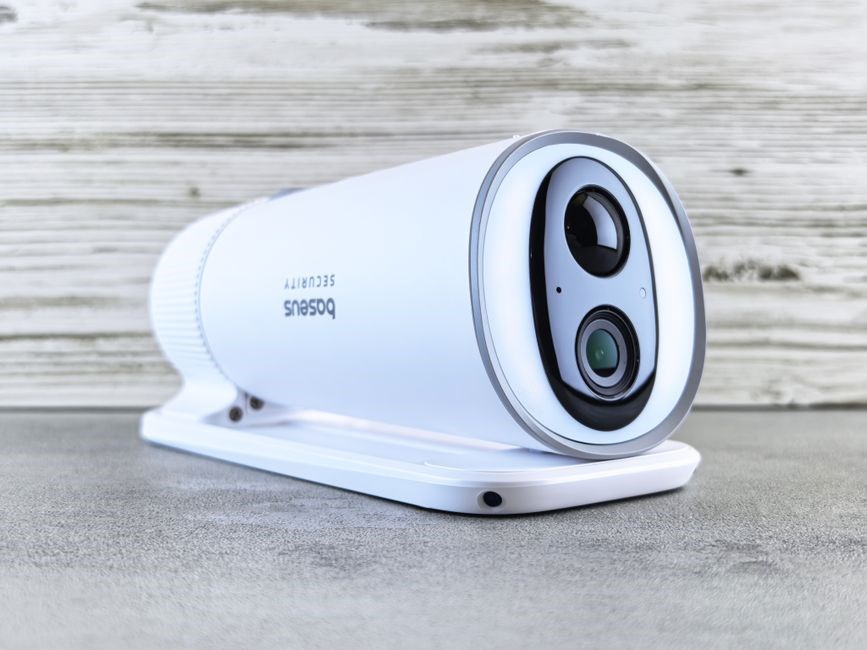
Each mode can be selected via the web interface under the “Mode” tab, and the device will reboot to apply changes. The interface displays real‑time statistics such as signal strength, throughput, and packet loss, allowing operators to monitor performance and adjust antenna orientation or channel selection as needed. For environments with high interference, the user can enable “Dynamic Frequency Selection” (DFS) to avoid radar channels. The device also supports “Client Isolation” to prevent traffic between connected clients, enhancing security.
In all modes, the unit logs events to the system log, which can be downloaded for troubleshooting. Firmware updates are delivered automatically when the device is connected to the internet, ensuring the latest features and security patches are applied. The MP‑902’s LED indicators provide quick status: a solid green indicates normal operation, a blinking green shows data transmission, and a red LED signals an error or low power condition. Users can also configure power‑saving settings to reduce consumption during off‑peak hours.
The system’s compliance with 802.11ac and 802.11ax standards guarantees compatibility with a wide range of client devices, from legacy Wi‑Fi 4 to the latest Wi‑Fi 6. By selecting the appropriate mode and fine‑tuning the settings, operators can achieve optimal coverage, throughput, and reliability for industrial applications.
Maintenance and Firmware Updates
Regular maintenance of the PLZ MP‑902 ensures optimal performance and longevity. Begin by inspecting the external antenna for dust, corrosion, or physical damage. Clean the connector with a dry microfiber cloth and verify that the cable is securely seated. The device’s firmware can be updated through the web interface or via the command line. Log in to the admin portal, navigate to the “Firmware Update” section, and upload the latest .bin file. The system will validate the checksum before flashing; if validation fails, the unit will revert to the previous stable image. For automated updates, enable “Auto‑Update” in the settings; the device will check the manufacturer’s server at scheduled intervals and download the newest release. It is recommended to perform updates during low‑traffic periods to avoid service interruptions. After a successful update, reboot the unit and verify the firmware version in the status page. Additionally, schedule quarterly checks of the internal fan and heat sink to prevent overheating. Monitor the temperature sensor via the “Diagnostics” tab; if readings exceed 70 °C, reduce the transmit power or improve ventilation. The device logs all firmware changes and maintenance actions in the system log, which can be exported for audit purposes. By following these procedures, operators can maintain a secure, high‑performance network with minimal downtime.
In addition to firmware, the MP‑902 supports OTA (over‑the‑air) updates for remote deployments. Configure the OTA server URL in the “Advanced” settings, and the device will poll for new images. To rollback to a previous firmware, use the “Rollback” button; the unit will restore the last known good configuration. For environments requiring strict security, disable automatic updates and perform manual checks weekly. Keep a backup of the current configuration by exporting the settings file from the “Backup & Restore” section; Store the backup on a secure server and label it with the device serial number and date. When troubleshooting, refer to the “Event Log” for timestamps of firmware upgrades, reboots, and error codes. The log entries follow the format: [YYYY‑MM‑DD HH:MM:SS] EVENT – Description. This structured logging facilitates rapid diagnosis and compliance reporting. Finally, ensure that the device’s power supply meets the specified voltage and current ratings; using an inadequate supply can cause firmware corruption or hardware failure. By adhering to these maintenance guidelines, the PLZ MP‑902 will remain reliable and secure throughout its operational life.

Troubleshooting, Support, and Warranty Information
For PLZ MP‑902 issues, check power, antenna, firmware. Use diagnostics, reset to factory if needed. Contact support via email or phone. Warranty covers manufacturing defects for 12 months. Keep serial number and purchase proof. Follow online FAQ for quick fixes. Refer to the online support portal for steps.!!
Common Problems and Solutions
Below are the most frequent issues with the PLZ MP‑902 and quick fixes.
- Weak signal: Check antenna placement, remove obstructions, and update firmware. Reboot and re‑scan.
- Firmware update fails: Verify file integrity, use a wired connection, and retry.
- Device not found: Ensure power, correct SSID, and matching security settings. Reset if needed.
- Unexpected reboot: Check for overheating, ensure proper ventilation, and update firmware.
- Latency or packet loss: Switch to a less crowded 5 GHz channel, enable QoS, and limit clients.
- Serial errors: Confirm baud rate, replace faulty cable, and match serial settings.
- License issues: Re‑enter key, sync clock, and verify authentication server.
- Hardware fault lights: Note LED pattern, consult guide, and contact support.
If the issue persists after the basic steps, check antenna orientation, test the power supply with a multimeter, verify the firmware checksum, and review system logs for error codes. For network problems, use a spectrum analyzer to detect interference and adjust the channel. Keep the firmware updated for performance and bug fixes.

Finally, keep a record of any error codes displayed on the device’s status LED or in the log file. These codes can be cross‑referenced with the troubleshooting guide to pinpoint the root cause. If the device continues to malfunction, schedule a service appointment through the service center to ensure a proper diagnosis and repair!!!
See guide. For codes!!!
Contacting Support and Warranty Claims
For assistance, use the official support portal or call the regional hotline. Log in with your serial number and product ID to access personalized troubleshooting steps. If the issue is covered under warranty, schedule a repair or replacement by submitting the claim form found on the portal. Provide proof of purchase, serial number, and a detailed description of the problem.
Warranty periods vary by region; typically, the device is covered for 12 months from the date of purchase. Extended coverage options are available for an additional fee. All claims must be submitted within the warranty window to qualify for repair or replacement.
When contacting support, have the following ready: device firmware version, error logs, and any recent configuration changes. This speeds up diagnosis and reduces turnaround time. Support staff will guide you through remote diagnostics or arrange for a technician visit if necessary.
For urgent matters, use the live chat feature on the portal, which offers real‑time assistance. If the device is out of service, a replacement unit will be dispatched after a diagnostic report confirms a hardware fault.
Keep all correspondence and claim numbers for future reference. If you encounter delays, reference the claim number in follow‑up communications to expedite resolution.
Keep the receipt and serial label for warranty claims. Log all troubleshooting steps, including screenshots, to aid resolution. Follow the portal’s claim guidelines for smooth process.